
Course DetailsHome / Courses Details
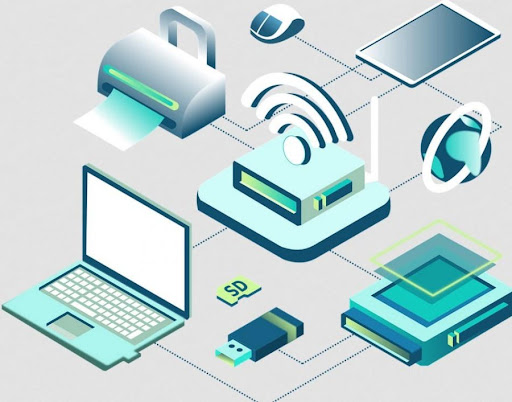
Wireless Networking
The Wireless Networking & Wi-Fi Systems Professional Course is designed to equip learners with practical skills in designing, installing, configuring, and securing wireless networks. The course focuses on Wi-Fi technologies used in homes, schools, offices, and enterprise environments.
Learners will gain hands-on experience in wireless router setup, access point configuration, signal optimization, network troubleshooting, and wireless security management. The program prepares learners for careers in IT support, network installation, internet service support, and wireless infrastructure management.
Module 1: Introduction to Wireless Networking
- Meaning of wireless networking
- Difference between wired and wireless networks
- Advantages and limitations
- Real-world applications
- Wireless communication basics
Module 2: Wireless Technologies and Standards
- Wi-Fi standards (802.11 a/b/g/n/ac/ax)
- Frequency bands (2.4GHz vs 5GHz)
- Signal transmission basics
- Wireless devices overview
- Performance factors
Module 3: Wireless Network Components
- Wireless routers
- Access points
- Repeaters and extenders
- Wireless adapters
- Antennas and boosters
Module 4: Wi-Fi Router Setup
- Router installation
- Basic configuration
- SSID setup
- Password configuration
- Admin settings
Module 5: Wireless Network Configuration
- Connecting devices to Wi-Fi
- IP assignment (DHCP)
- Network sharing setup
- Guest networks
- Device management
Module 6: Wireless Security
- WPA2 and WPA3 security
- Encryption methods
- Password protection
- MAC filtering
- Preventing unauthorized access
Module 7: Signal Strength and Coverage
- Understanding signal range
- Factors affecting signal quality
- Dead zones and interference
- Improving coverage
- Placement of routers and access points
Module 8: Troubleshooting Wireless Networks
- Common Wi-Fi problems
- Connection issues
- Slow internet fixes
- Diagnostic tools (ping, speed test)
- Network reset procedures
Module 9: Advanced Wireless Systems
- Mesh networks
- Enterprise Wi-Fi systems
- Load balancing
- Roaming between access points
- Wireless controllers
Module 10: Internet Service Integration
- ISP connection setup
- Modem vs router roles
- Bandwidth management
- Data usage monitoring
- Service optimization
Module 11: Mobile and IoT Connectivity
- Connecting smartphones and tablets
- Smart devices and IoT basics
- Smart home networks
- Device synchronization
- Wireless automation systems
Module 12: Wireless Network Design
- Planning Wi-Fi coverage
- Small office network design
- Large building coverage planning
- Scalability considerations
- Cost-effective solutions
Module 13: Wireless Network Monitoring
- Network performance tracking
- Bandwidth usage monitoring
- Device tracking
- Signal analysis tools
- Maintenance practices
Module 14: Cloud-Based Wireless Management
- Cloud-managed Wi-Fi systems
- Remote configuration
- Centralized control
- Firmware updates
- Network analytics
Module 15: Wireless Network Security Threats
- Wi-Fi hacking risks
- Evil twin attacks
- Packet sniffing basics
- Prevention strategies
- Security best practices
Module 16: Practical Wireless Labs
- Router setup practice
- Access point configuration
- Signal testing exercises
- Troubleshooting labs
- Network expansion practice
Module 17: Real-World Wireless Projects
- Home Wi-Fi setup project
- Office wireless network design
- Campus Wi-Fi planning
- Guest Wi-Fi deployment
- Performance optimization project
Module 18: Capstone Wireless Networking Project
- Full wireless network design
- Installation and configuration
- Security implementation
- Performance testing
- Final presentation and documentation
Educational Requirements
- Basic secondary education or equivalent
- Basic English communication skills
- Basic computer knowledge
Technical Requirements
- Basic ICT literacy
- Interest in networking and technology
- Willingness to work with hardware
Equipment Requirements
- Laptop or desktop computer
- Wireless router (for practice)
- Internet connection
Personal Attributes
- Problem-solving skills
- Attention to detail
- Technical interest
- Patience and consistency
- Practical mindset
Suitable For
Students, IT technicians, network installers, ICT learners, entrepreneurs, and anyone interested in wireless and internet technologies.
Learning Materials
- Wireless networking manuals
- Wi-Fi configuration guides
- Network security notes
- Signal optimization references
- Troubleshooting guides
Software Tools
- Network analyzers
- Wi-Fi scanner tools
- Router admin interfaces
- Speed test tools
- Simulation software (Packet Tracer optional)
Practical Resources
- Router setup labs
- Wi-Fi coverage testing
- Signal strength exercises
- Security configuration practice
- Network expansion simulations
Online Learning Resources
- Wireless networking tutorials
- Cisco wireless learning resources
- YouTube IT training content
- ISP setup guides
- Technical forums
Support Services
- Personal tutor support
- IT mentorship
- Internship placement support
- Project supervision
- Career guidance
Assessment
- Practical router setup tasks
- Wireless troubleshooting exercises
- Network design assignments
- Security configuration tests
- Final capstone wireless project