
Course DetailsHome / Courses Details
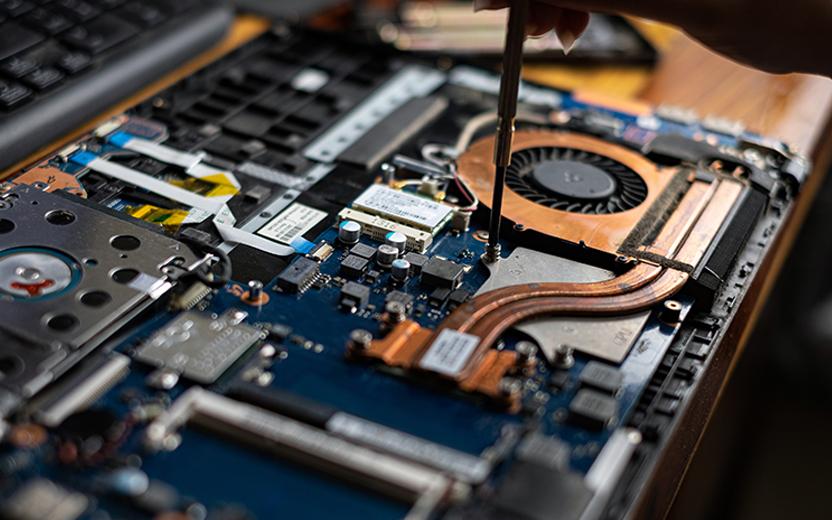
Computer Repair
The Computer Repair & Maintenance Professional Course is designed to equip learners with practical skills in diagnosing, repairing, upgrading, troubleshooting, and maintaining desktop computers, laptops, printers, and related hardware devices. The course provides comprehensive training in computer hardware components, operating systems, networking basics, preventive maintenance, data recovery, and technical support services.
Learners will gain hands-on experience working with computer systems, diagnostic tools, repair equipment, and maintenance procedures. The program prepares participants for careers in computer repair, technical support, IT maintenance, hardware engineering, and ICT support services.
Module 1: Introduction to Computer Repair and Maintenance
- Introduction to computer systems.
- ICT industry overview.
- Computer technician roles and responsibilities.
- Safety procedures and workplace practices.
- Tools used in computer repair.
- Professional ethics.
Module 2: Computer Hardware Fundamentals
- Computer architecture.
- Motherboards and chipsets.
- Processors (CPUs).
- Memory (RAM).
- Storage devices.
- Power supply units.
Module 3: PC Assembly and Disassembly
- Identifying computer components.
- Computer assembly procedures.
- Component installation.
- Hardware upgrades.
- Cable management.
- Hardware replacement techniques.
Module 4: Laptop Repair and Maintenance
- Laptop architecture.
- Laptop disassembly.
- Screen replacement.
- Keyboard replacement.
- Battery troubleshooting.
- Motherboard diagnostics.
Module 5: Operating System Installation
- Windows installation.
- Linux installation.
- Driver installation.
- System configuration.
- Software deployment.
- System optimization.
Module 6: Computer Troubleshooting Techniques
- Hardware diagnostics.
- Software diagnostics.
- Error identification.
- Troubleshooting methodologies.
- Repair documentation.
- Problem resolution procedures.
Module 7: Preventive Maintenance
- Cleaning computer systems.
- Dust removal techniques.
- Thermal management.
- Hardware inspections.
- Preventive maintenance schedules.
- System performance optimization.
Module 8: Storage Devices and Data Recovery
- Hard disk drives.
- Solid State Drives (SSD).
- Data backup procedures.
- Data recovery techniques.
- Storage diagnostics.
- Disk management.
Module 9: Printer Installation and Repair
- Printer technologies.
- Printer setup and configuration.
- Cartridge replacement.
- Printer troubleshooting.
- Network printers.
- Preventive printer maintenance.
Module 10: Networking Fundamentals
- Network concepts.
- Network devices.
- IP addressing.
- Router configuration.
- Wireless networking.
- Network troubleshooting.
Module 11: Computer Security and Protection
- Malware protection.
- Antivirus management.
- System security.
- Data protection.
- Backup solutions.
- Security best practices.
Module 12: Technical Support and Customer Service
- Help desk operations.
- Customer support techniques.
- Communication skills.
- Service reporting.
- Client relationship management.
- Technical documentation.
Module 13: Mobile Device Repair Fundamentals
- Smartphone components.
- Mobile operating systems.
- Device troubleshooting.
- Screen replacement basics.
- Battery maintenance.
- Mobile device support.
Module 14: Advanced Hardware Diagnostics
- Diagnostic software tools.
- BIOS and UEFI configuration.
- Performance testing.
- Hardware monitoring.
- Fault isolation.
- Repair decision-making.
Module 15: IT Asset Management
- Equipment inventory management.
- Asset tracking systems.
- Hardware lifecycle management.
- Procurement procedures.
- Maintenance planning.
- Equipment disposal practices.
Module 16: Business and Entrepreneurship for Technicians
- Starting a repair business.
- Service pricing.
- Business planning.
- Marketing ICT services.
- Customer acquisition.
- Business management skills.
Module 17: Practical Repair Workshop
- Desktop repair projects.
- Laptop repair projects.
- Operating system installations.
- Printer maintenance exercises.
- Network troubleshooting activities.
- Technical support simulations.
Module 18: Capstone Computer Repair Project
- System diagnosis.
- Hardware repair.
- Software installation.
- Maintenance documentation.
- Project presentation.
- Professional portfolio development.
Educational Requirements
- Basic secondary school education or equivalent qualification.
- Ability to read and write English.
- Basic mathematics skills.
- No prior computer repair experience required.
Technical Requirements
- Basic computer literacy.
- Familiarity with computer usage.
- Interest in technology and hardware systems.
- Willingness to participate in practical activities.
Equipment Requirements
- Laptop or desktop computer.
- Reliable internet connection.
- Basic repair toolkit (recommended).
- Storage device for backups and practice.
Personal Attributes
- Problem-solving abilities.
- Attention to detail.
- Patience and persistence.
- Good communication skills.
- Interest in technology and electronics.
Suitable For
- Students.
- ICT Professionals.
- Computer Technicians.
- School ICT Officers.
- Entrepreneurs.
- Technical Support Staff.
- Hardware Enthusiasts.
- IT Beginners.
- Business Owners.
- Anyone interested in computer repair and maintenance.
Learning Materials
- Computer Repair and Maintenance Manual.
- PC Hardware Troubleshooting Guide.
- Laptop Repair Handbook.
- Operating System Installation Guide.
- Networking Fundamentals Manual.
- Technical Support Reference Materials.
- ICT Service Management Resources.
Hardware and Repair Tools
- Screwdriver Repair Kits.
- Diagnostic Cards.
- Multimeters.
- Anti-Static Equipment.
- Thermal Paste Kits.
- Hard Drive Testing Tools.
- Network Testing Equipment.
Software Resources
- Windows Operating Systems.
- Linux Operating Systems.
- Antivirus Software.
- Diagnostic Utilities.
- Data Recovery Software.
- Hardware Monitoring Tools.
- Backup Solutions.
Practical Laboratory Resources
- Computer Repair Workshop.
- Hardware Assembly Labs.
- Operating System Installation Labs.
- Networking Practice Labs.
- Printer Maintenance Labs.
- Technical Support Simulations.
- Real-World Repair Projects.
Student Support Services
- Dedicated Personal Tutor.
- Technical Mentorship.
- Career Guidance.
- Entrepreneurship Coaching.
- Project Supervision.
- Internship Preparation Support.
Assessment Resources
- Hardware Repair Assignments.
- Troubleshooting Exercises.
- Operating System Installations.
- Networking Projects.
- Technical Support Simulations.
- Practical Laboratory Assessments.
- Final Capstone Project.